
New in Elicit: Multi-tab search in Systematic Reviews
We shipped a major update to how you search in Systematic Reviews, plus a refreshed Paper Chat and Extract experience.
Multi-tab search workflows
Rigorous systematic reviews don't rely on a single search query. You need broad semantic discovery to catch conceptually related work, precise keyword Boolean strings for exact terminology, and targeted registry searches for clinical trials.
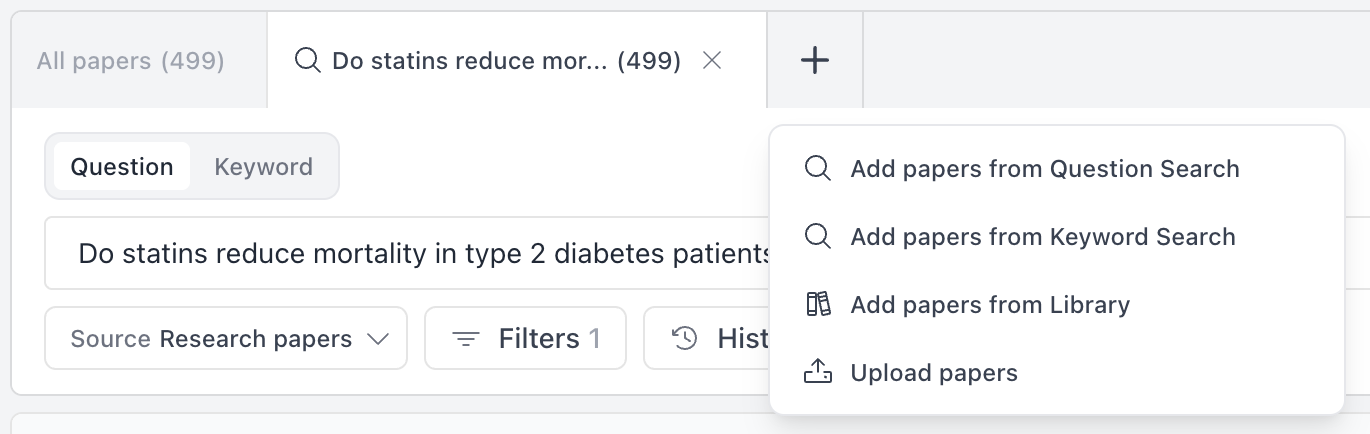
Now you can do all of this in Elicit. The Gather step lets you open multiple search tabs, each with its own strategy:
Question search for natural language, semantic discovery
Keyword search for Boolean logic (("type 2 diabetes" OR "diabetes mellitus") AND mortality)
Clinical Trials to search registries like ClinicalTrials.gov with trial-specific filters
Upload papers to include PDFs you already have
and more
You can A/B test query variations side by side, iterate on searches without losing your history, and combine methodologies in a single review. Elicit automatically de-duplicates papers across all your active tabs.
Automated PRISMA documentation
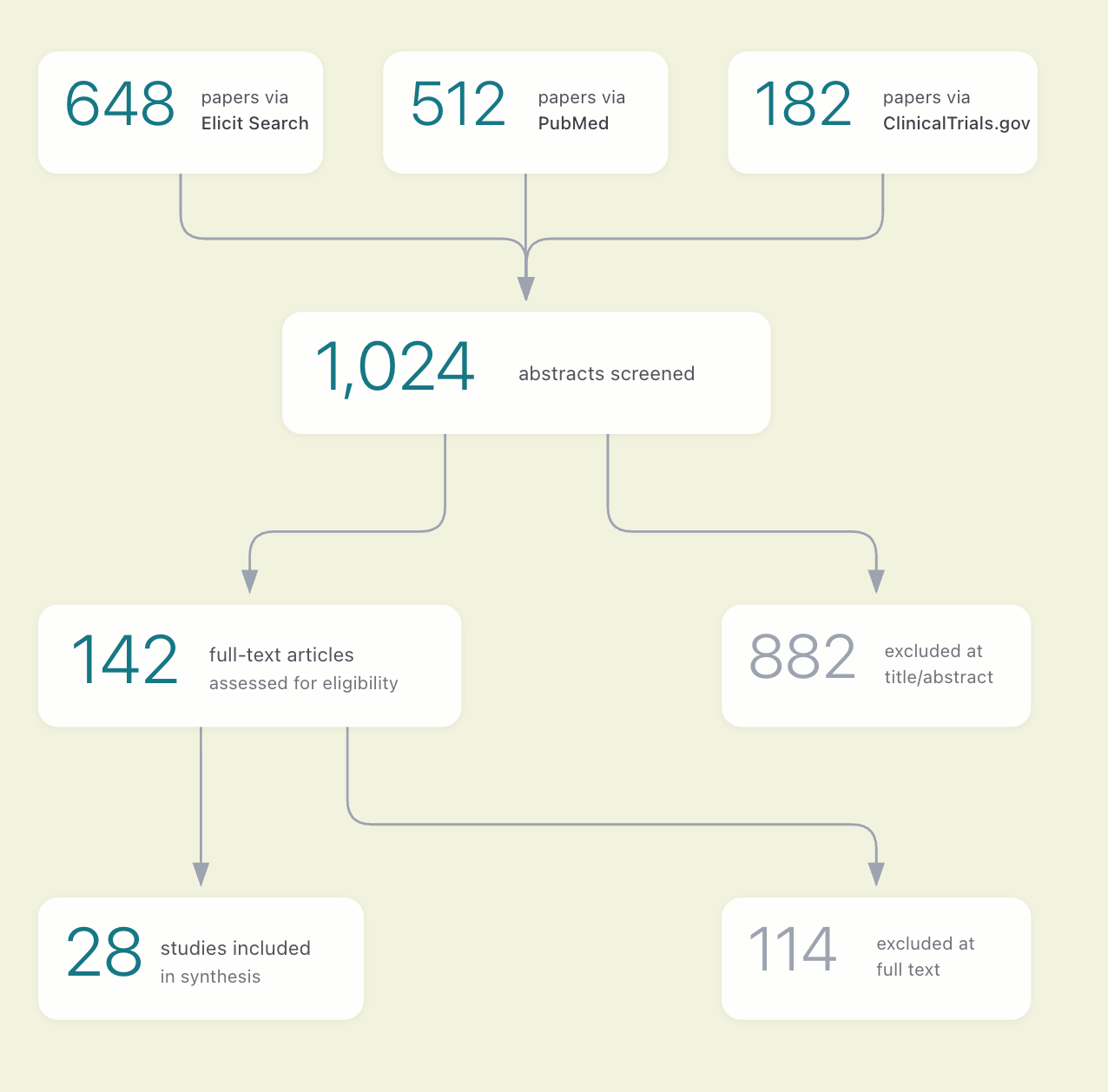
The search strategies you run self-document. When you generate your report, Elicit automatically:
Creates a PRISMA flow diagram showing exactly how many papers came from each source
Writes a Methods section with your exact query strings and databases
Your search strategy is documented the moment you run it, no manual tracking required.
Combined with full-text screening and strict criteria, Elicit now supports the core PRISMA workflow from search through extraction.
Paper Chat now thinks ahead
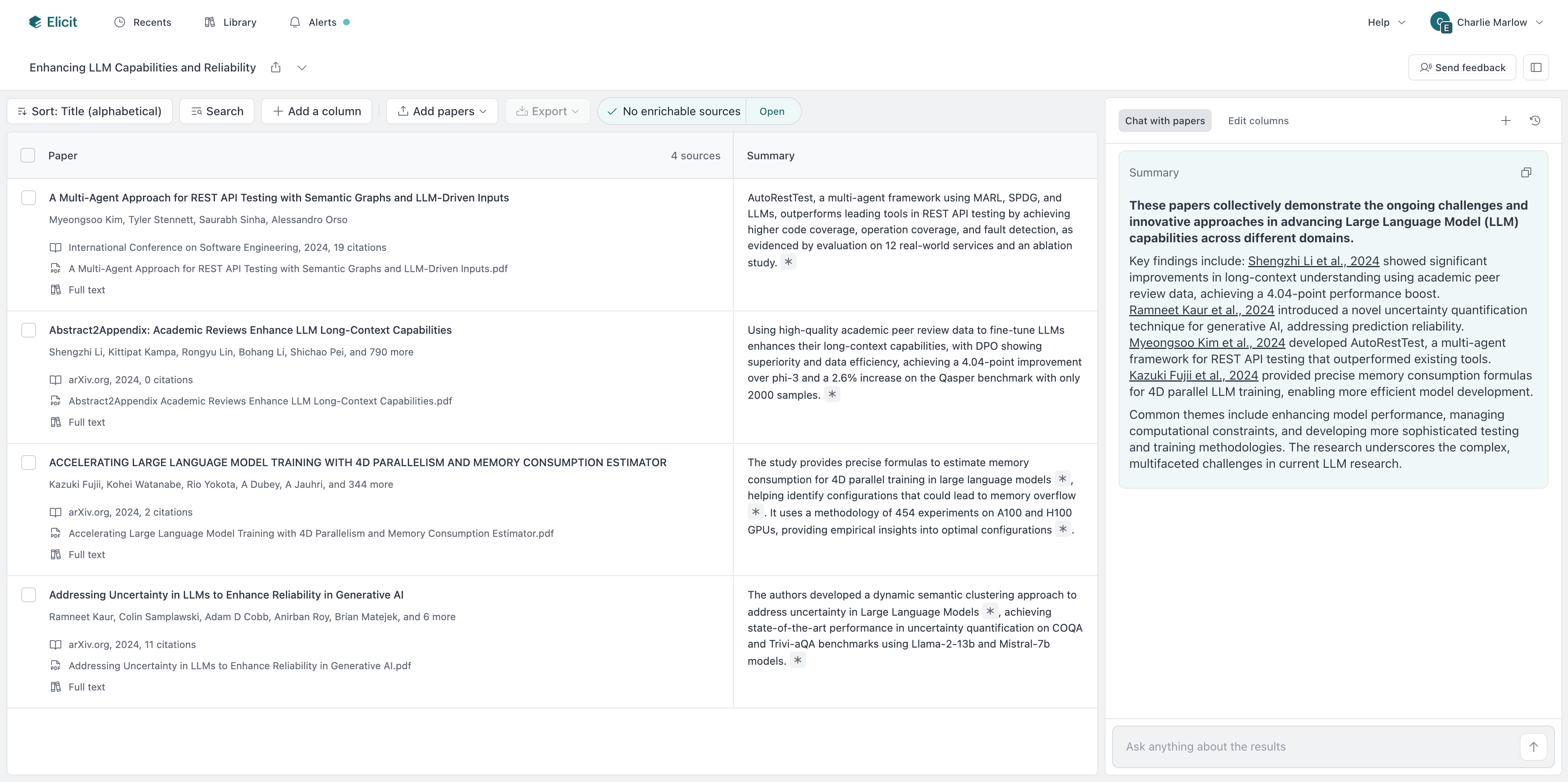
When you start a session, Elicit automatically summarizes each paper and kicks off the conversation with an initial message, useful context before you've even asked a question. You can also add papers mid-conversation without starting over.
Extract keeps you in flow
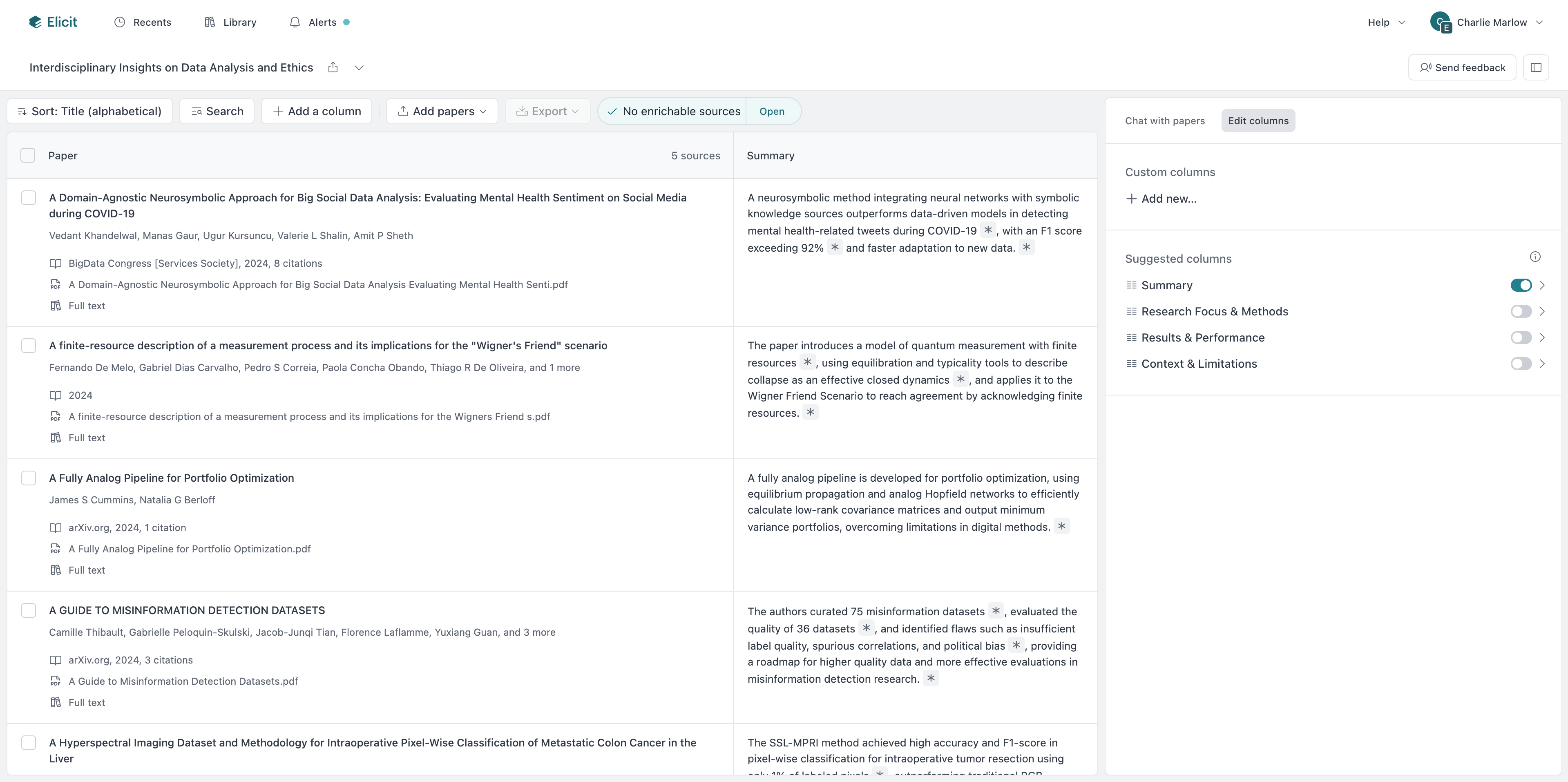
Chat with any paper directly from your extract table. Elicit suggests columns tailored to your specific papers, so you spend less time on setup. Teams and Enterprise users can now pull data from figures directly in their tables.
Getting started
To try multi-tab search: open any Systematic Review and click the + icon in the Paper sources bar. Learn more